
(कंप्यूटर के मुख्य भाग पहचानना)
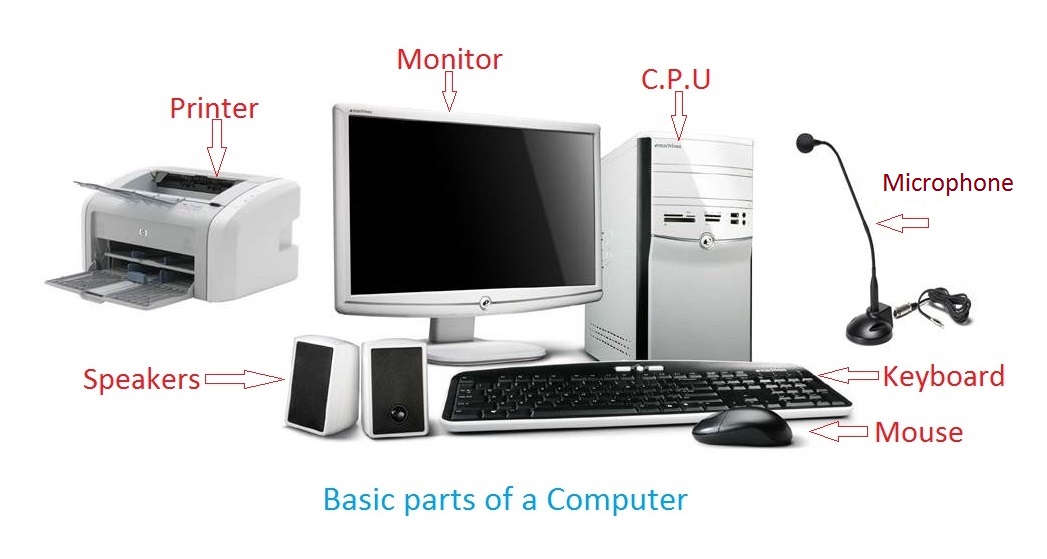
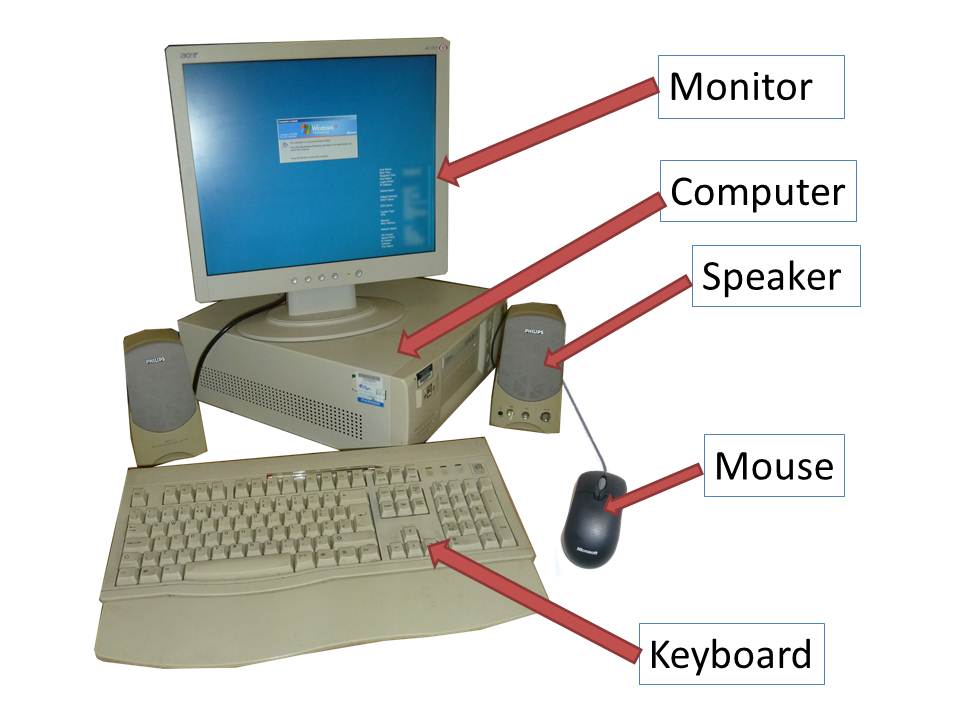
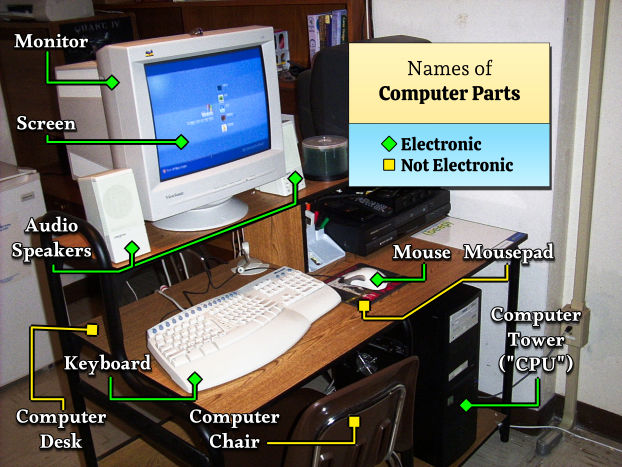
ऊपर दी गई तस्वीर में एक Desktop Computer Setup दिखाया गया है। इसमें कई मुख्य भाग होते हैं जैसे Monitor, CPU Cabinet, Keyboard, Mouse आदि। एक सामान्य कंप्यूटर सिस्टम में ये मुख्य पार्ट्स होते हैं: Monitor, Keyboard, Mouse, Speakers और System Unit (CPU Cabinet)
1. Monitor (मॉनिटर)
Monitor कंप्यूटर की स्क्रीन होती है।
काम (Function)
- कंप्यूटर का output दिखाता है
- Text, video और images display करता है
उदाहरण
- LED Monitor
- LCD Monitor
📌 आसान भाषा में:
Monitor = Computer की TV Screen
2. CPU Cabinet (System Unit)
CPU cabinet वह बॉक्स होता है जिसमें कंप्यूटर के मुख्य parts लगे होते हैं।
इसके अंदर ये parts होते हैं
- Motherboard
- Processor (CPU)
- RAM
- Hard Disk
- Power Supply
काम (Function)
- Data processing करना
- पूरे कंप्यूटर को control करना
📌 आसान भाषा में:
CPU Cabinet = Computer का दिमाग वाला बॉक्स
3. Keyboard (कीबोर्ड)
Keyboard एक Input Device है।
काम (Function)
- Typing करना
- Computer को commands देना
Keys के प्रकार
- Alphabet Keys (A–Z)
- Number Keys (0–9)
- Function Keys (F1–F12)
- Arrow Keys
- Special Keys (Ctrl, Alt, Enter)
📌 आसान भाषा में
Keyboard = Computer में लिखने की मशीन
4. Mouse (माउस)
Mouse एक Pointing Device है।
काम (Function)
- Pointer move करना
- Files और folders open करना
- Menu select करना
Mouse Actions
- Click
- Double Click
- Right Click
- Drag and Drop
📌 आसान भाषा में
Mouse = Screen पर arrow को चलाने वाला device
5. Speakers (स्पीकर)
Speakers एक Output Device हैं।
काम (Function)
- Sound सुनने के लिए
- Music और video की आवाज सुनने के लिए
6. Printer (प्रिंटर)
Printer computer का Output Device है।
काम (Function)
- Document print करना
- Photo print करना
Types
- Inkjet Printer
- Laser Printer
Computer Parts को याद रखने का आसान तरीका
4 Main Parts
1️⃣ Monitor
2️⃣ CPU Cabinet
3️⃣ Keyboard
4️⃣ Mouse
📌 इन चारों को मिलाकर Computer System बनता है।